More Frameworks, Better Tools, Less Admin
This school year we’ve been adding new assessment frameworks and rolling out updates to Connecting Steps to help you track progress more easily and meaningfully across your whole school. With Ofsted now placing greater emphasis on inclusion and asking schools to show progress from starting point for every pupil, having the right tools in place has never mattered more.
Whether you’re supporting pupils with SEND, tracking Early Years development, or assessing across Key Stage 1 and 2, here’s everything that’s new this year – all in one place.
New Assessment Frameworks
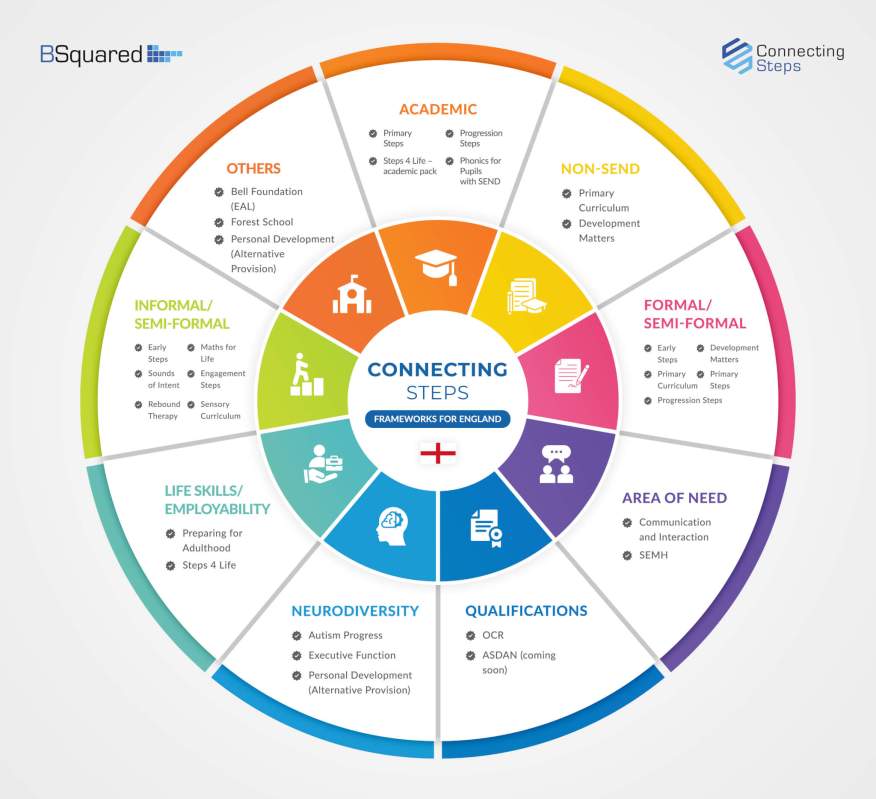
This year we’ve added some great new assessment frameworks to Connecting Steps – giving you more tools than ever to assess and support every pupil in your school.
Read about all our assessment frameworks


Executive Function
Proposed SEND reforms name Executive Function as a new standalone development area. Our framework, developed with Connections in Mind, helps staff track key Executive Function skills across 11 areas and 5 levels of development – from emotional regulation to planning.
Social Emotional and Mental Health (SEMH)
Covering birth to age 15, this framework helps you identify and support students struggling with behaviour, attendance, and emotional wellbeing. Use it alongside your existing frameworks to plan targeted support and track meaningful progress.
Personal Development (Alternative Provision)
Designed for AP settings, this framework covers the personal development skills that underpin engagement with learning – emotional regulation, independence, resilience, and social skills. To help track progress and support reintegration.


English as an Additional Language (FREE for Connecting Steps users)
Created with The Bell Foundation, this framework tracks English language development across listening, speaking, reading, and writing – through every stage of acquisition up to fluency.
Maths for Life (FREE add-on for Maths for Life users)
Track and support pupils’ practical maths skills, focusing on real-world, functional skills that build independence and confidence. Captures small, meaningful steps of progress and identifies next steps for each pupil.
Top Picks From This Year’s Updates

An Inclusive Assessment System for ALL Pupils
Did you know Connecting Steps now covers SEND, Early Years, Primary, Executive Function, SEMH, Alternative Provision, Communication and Interaction, Preparing for Adulthood, Autism Profiling, and more? Plus a growing range of free frameworks for all Connecting Steps users, including Development Matters and Primary Curriculum (for pupils working at Age Related Expectations), and EAL – so you can assess all your pupils in one system.
Multiple Subject Donuts Report
See a student’s progress across all subjects and profiles at a glance. Left donuts show achievements at the start of the date range; right donuts show where they are now. An icon highlights level changes – so you can spot progress (or regression) at a glance.

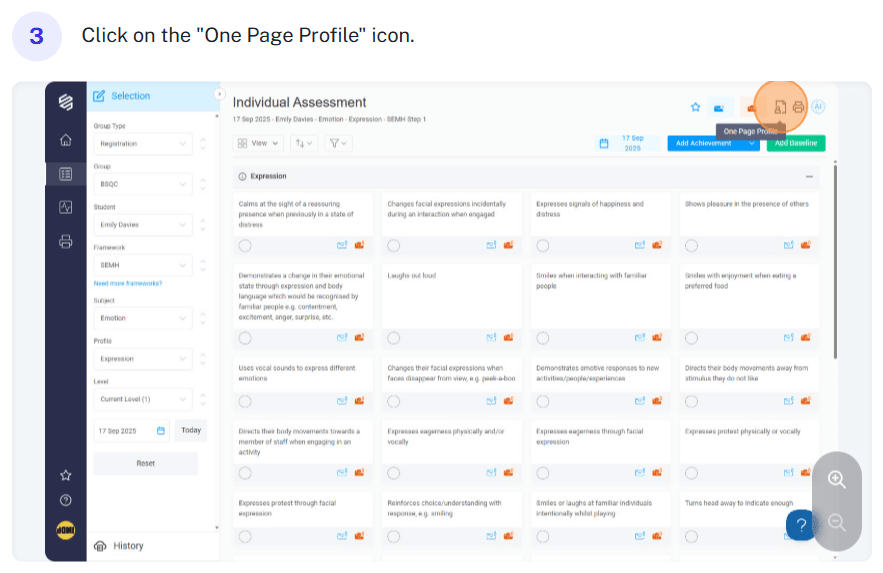
View One Page Profiles in Connecting Steps
Access a student’s One Page Profile directly from the Student Assessment screen, without switching tools. Profiles are created in Evisense and can be viewed or downloaded as a PDF, giving staff quick access to the key information they need.
More Updates
-
- AI Report Writing (Advanced Features) – Save time summarising assessments, outlining next steps, and generating report drafts using built-in AI – and translate them into over 40 languages. From just £1 per pupil per year. Find out more
- Bulk Printing – Generate reports for every student in a group and download as individual .pdfs in just a few clicks. Or post them directly to Evisense for each pupil, all in one go. How to guide
- Overall Progress Reports – View Linear, Non-Linear, and Real Progress values for an individual student or a whole group. Great for spotting spikey profiles and demonstrating progress meaningfully. Student guide | Group guide
- Student Progress Report: Percentage Change – The Student Progress report now shows percentage change with colour coding – green for progress, red for regression. How to guide
- Progress Bands in Analytics – Set your own ranges for Significantly Below, Below, Expected, and Above expected progress. The student view colour-codes each pupil at a glance; bar charts and line graphs give you the whole-school picture. (The B Squared Analytics Platform is included free with Connecting Steps.) How to guide
- Quick View Achievements with the Eye Icon – Instantly see assessments and achievements for any level from the Student Level Summary or Group Level Summary screen. How to guide
- View Evidence Linked to Assessments – A camera icon shows which assessment points have linked evidence in Evisense. Click to view it directly from Connecting Steps. How to guide
- Activate FREE Frameworks – Several additional frameworks are available at no extra cost for all licensed pupils. Here’s how to switch them on. How to guide
- Ask AI Support – Get instant answers using AI-powered help. Click the question mark in the software to ask questions, search the knowledge base, or contact us. How to guide

Also Using Evisense?
We’ve had a big year for Evisense too, with new features to help you build better connections with parents, capture meaningful evidence of learning, and share every pupil’s progress.
Read the Evisense updates
Need a Hand?
If you have any questions about any of these features, our team are always happy to help. Book a FREE online demo and we’ll guide you through whatever you need.
